Add new room type
- 1 min read
- 3 screenshots
- Updated
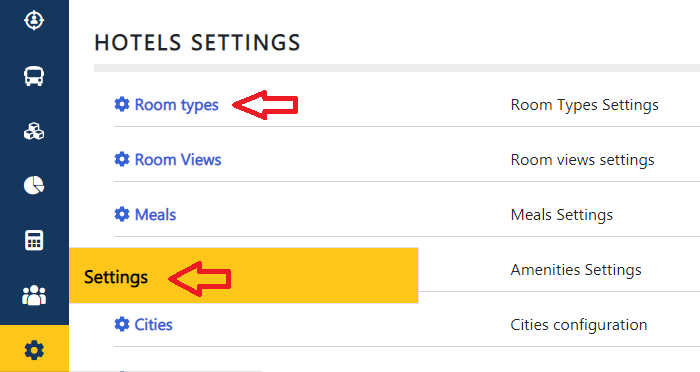
1- To add new room types, go to the Settings section of the Room Types page under Hotels settings
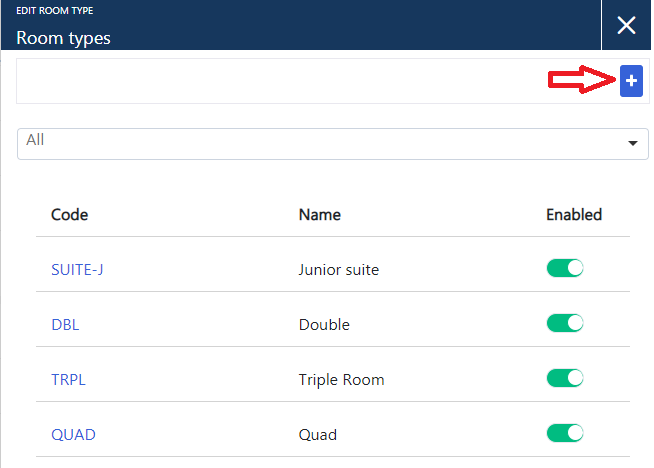
2- Then click on the add button
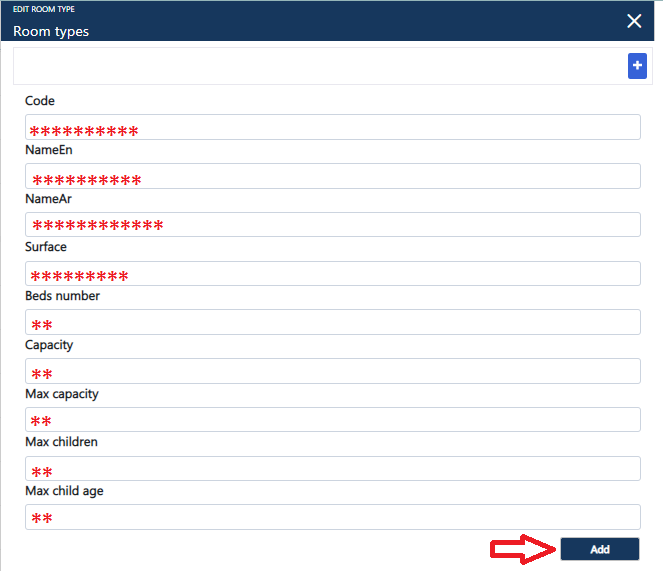
3- Then enter all the room data and click Add
1- To add new room types, go to the Settings section of the Room Types page under Hotels settings
2- Then click on the add button
3- Then enter all the room data and click Add