Downloading Hotel Data
- 1 min read
- 4 screenshots
- Updated
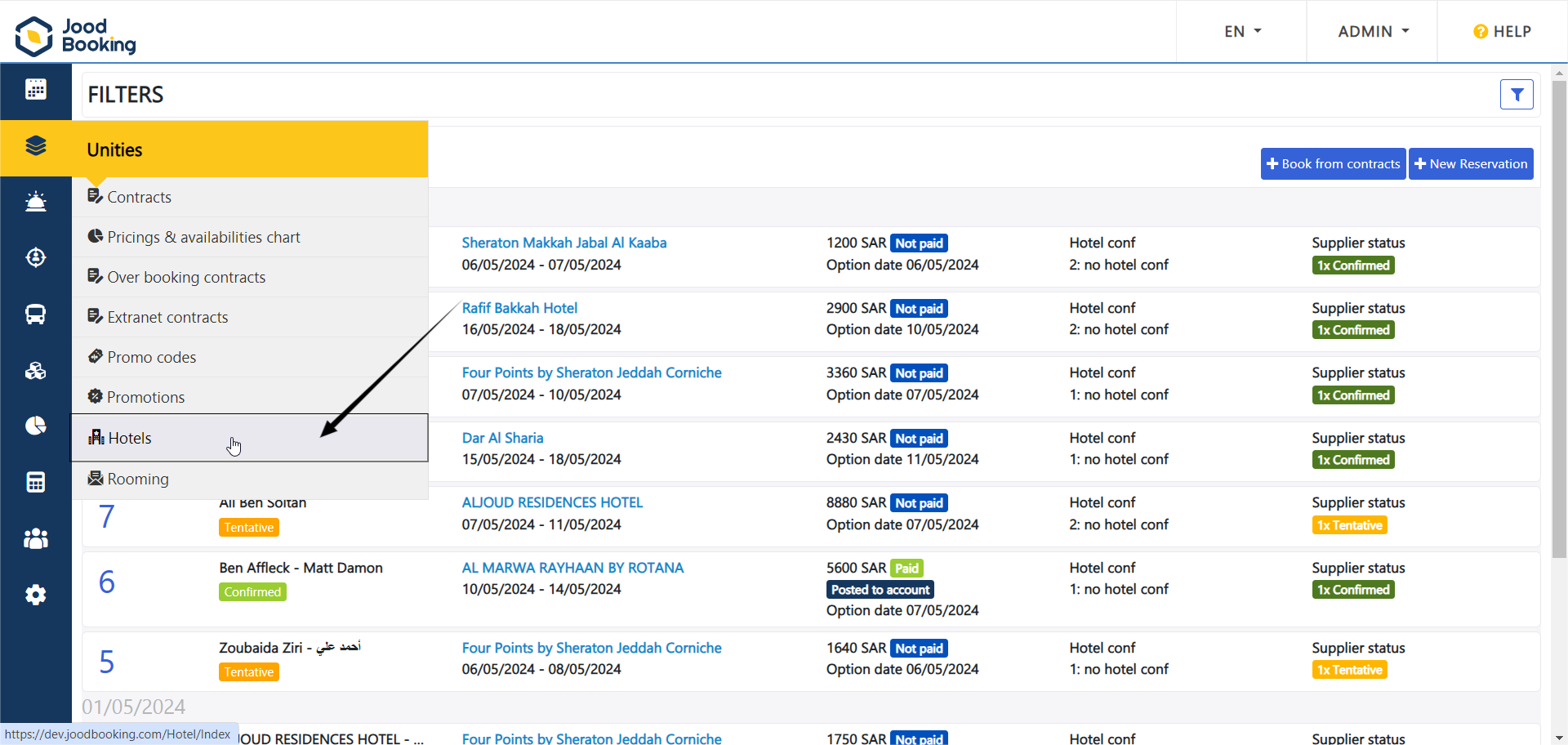
-1- To download hotel data, we head to the ‘Unities’ section, then ‘Hotels’.
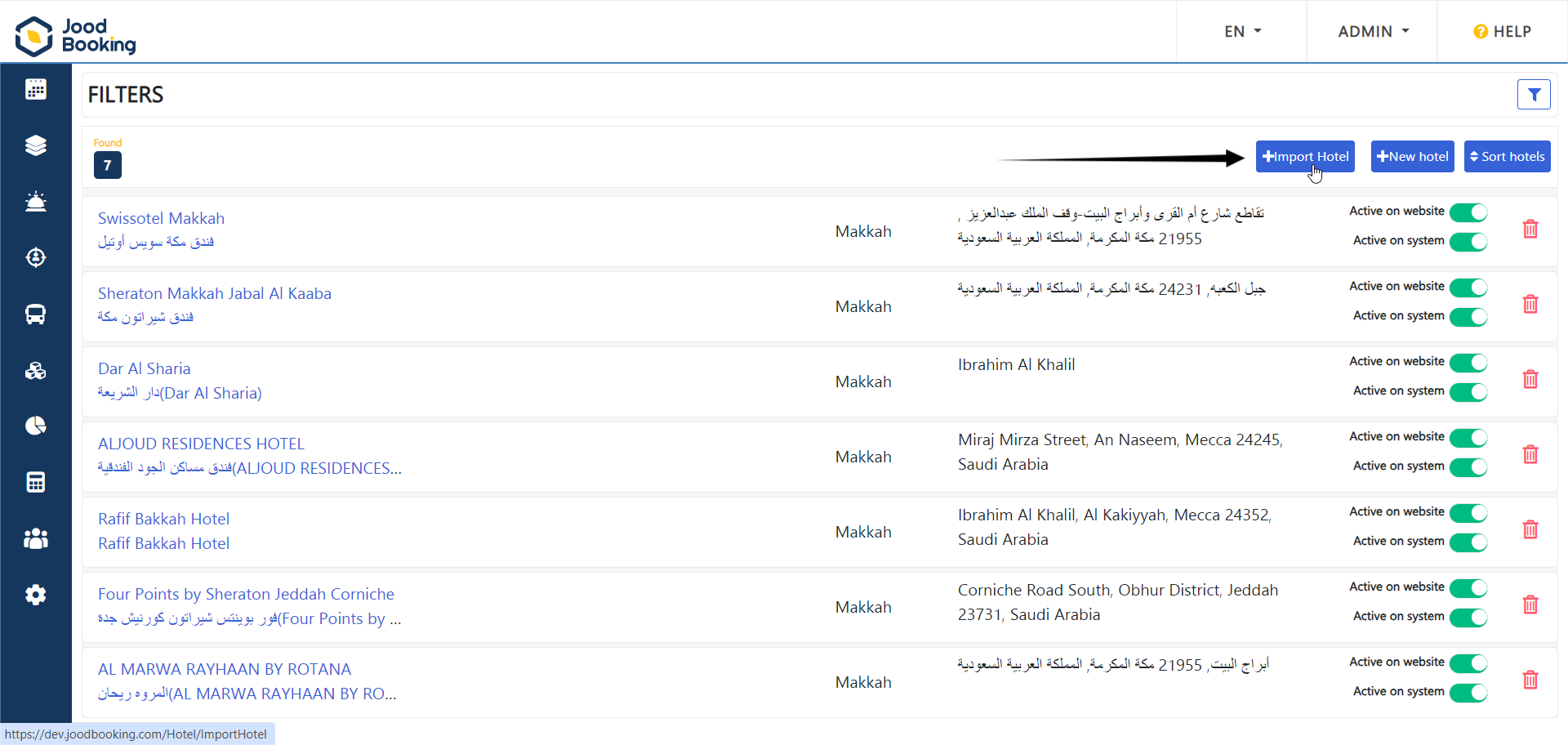
-2- Afterwards, we click on the 'Import Hotel' button.
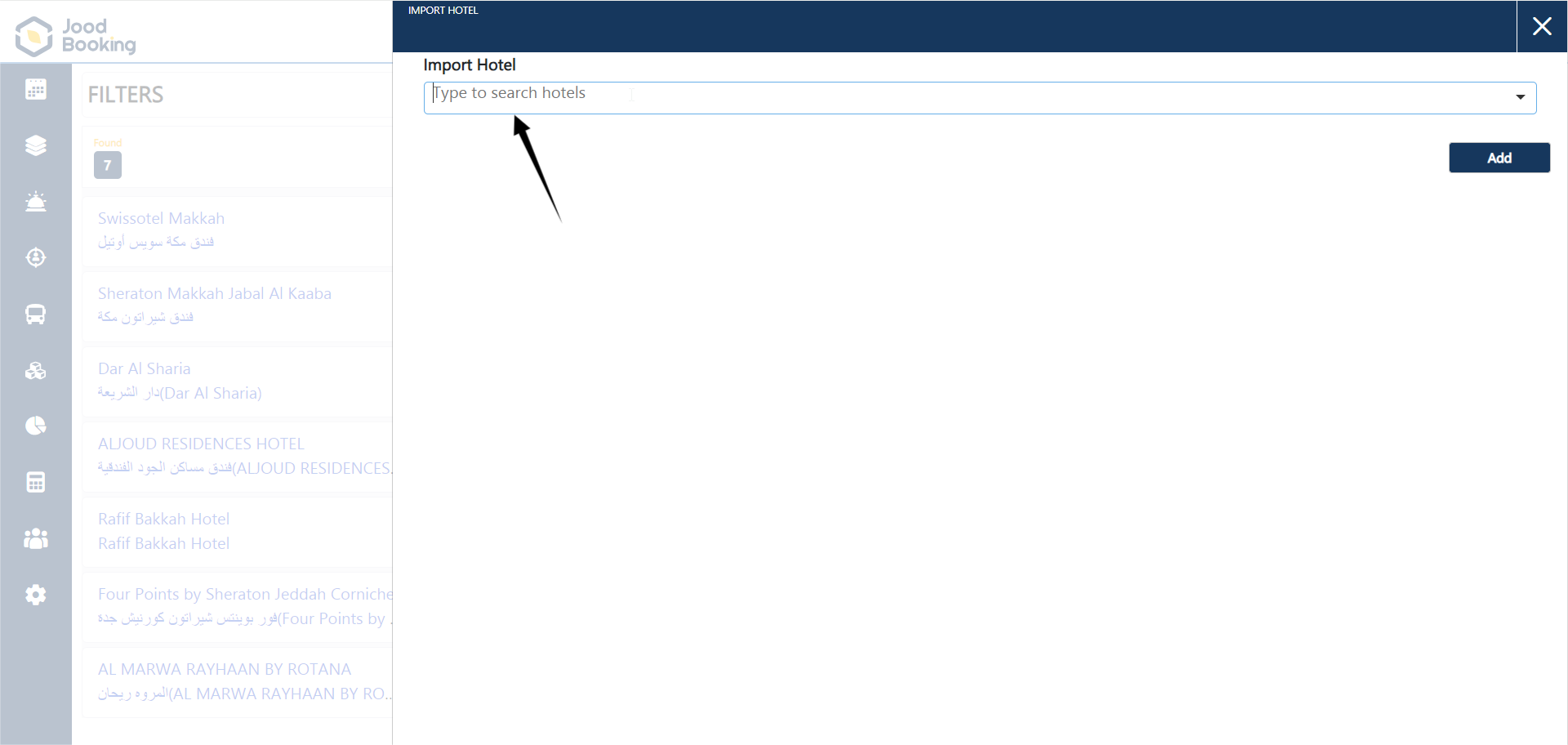
-3- Then we search for the hotel we want to add by using the search box.
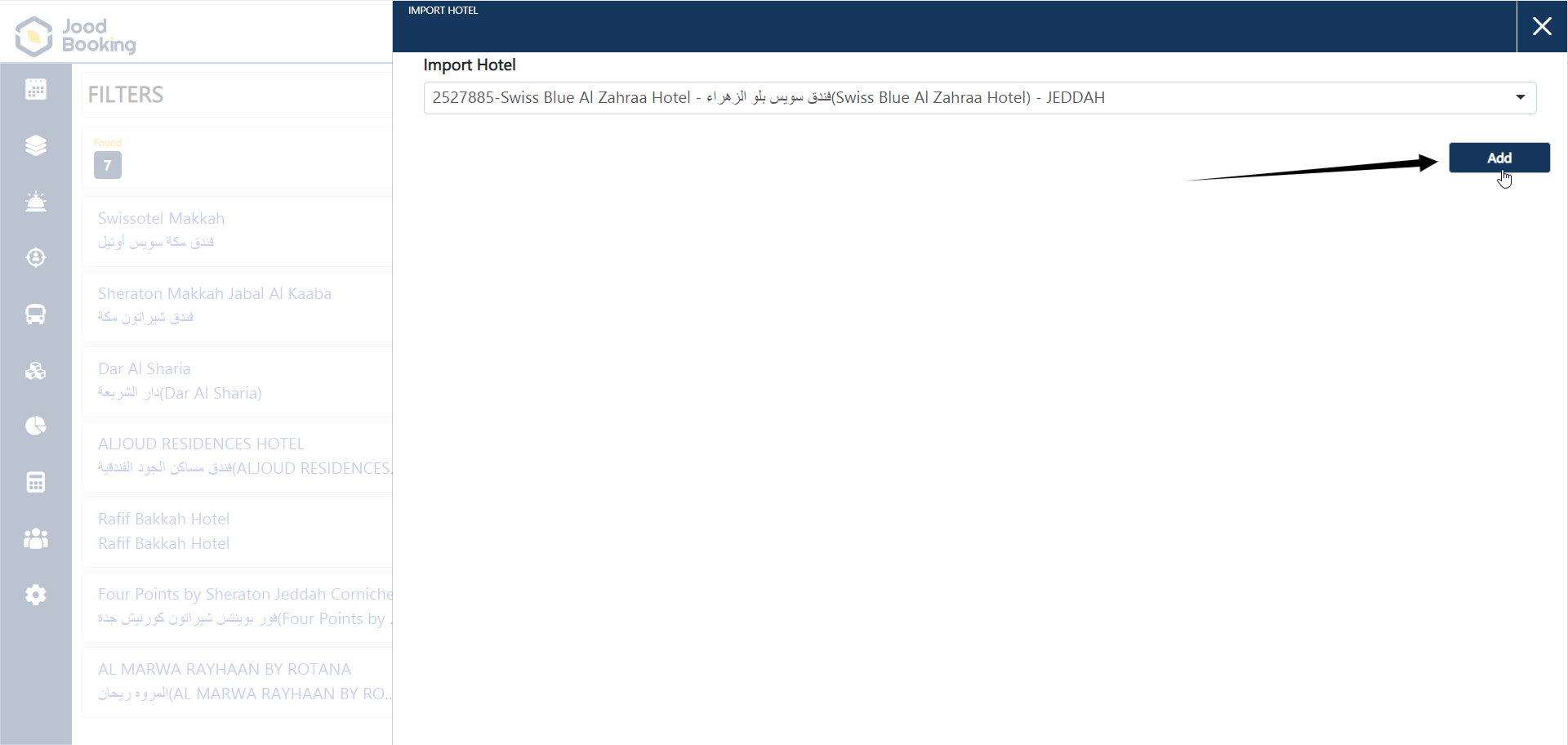
-4- After selecting the hotel, we click on 'Add'.